

Get 200% up to £1,000 + 50 Free Spins!
CrownJewelz Welcome Bonus
Crown Jewelz Casino App: iOS and Android Download Guide for UK Players
Crown Jewelz Casino is fully accessible on mobile through both dedicated native applications and a browser-based interface that requires no download. The apps are available for iOS and Android, offering push notifications for bonus activations, faster login via biometric authentication, and a more streamlined experience on smaller screens compared to the mobile browser version. The same account credentials, balance, and active bonuses carry across the desktop site, browser, and app without any additional setup. The full game catalogue - including slots, live dealer tables, jackpots, and the complete cashier with all GBP payment methods - is available through both routes.
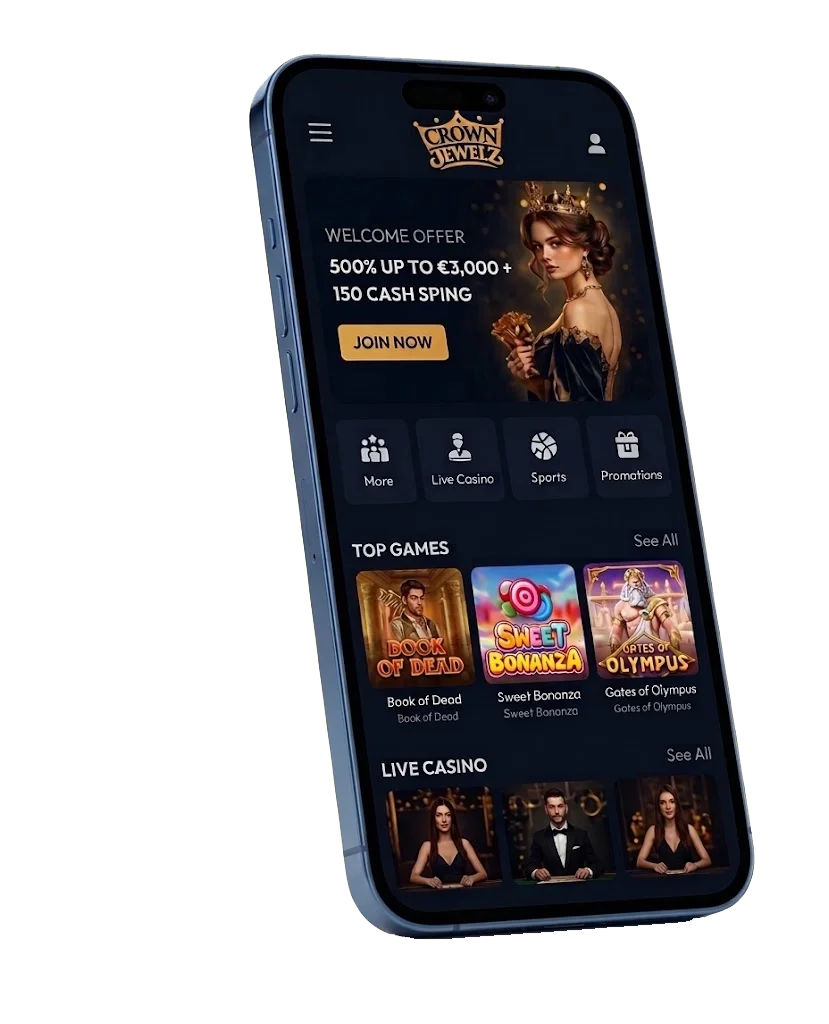
The browser-based version adapts automatically to screen size on iOS and Android, and game loading times remain consistent with the desktop experience across 4G and Wi-Fi connections. Players who prefer not to install anything can access the full platform through Chrome or Safari without any functional reduction.

CrownJewelz Welcome Bonus
Get 200% up to £1,000 + 50 Free Spins!
Installing the App on iOS
The iOS app is distributed through the Apple App Store, making installation identical to any other Apple application - no additional security settings or device configuration required.
- Open the App Store on your iPhone or iPad.
- Search for "Crown Jewelz Casino" in the search bar.
- Tap "Get" and authenticate with Face ID, Touch ID, or your Apple ID password.
- Wait for the installation to complete - the app icon will appear on your home screen automatically.
- Open the app and log in with your existing account credentials, or complete registration directly within the app.
Face ID and Touch ID support removes the need to enter your email and password at the start of every session. Push notifications can be enabled for bonus activations, withdrawal status updates, and promotional announcements. All responsible gambling tools - deposit limits, session reminders, self-exclusion - are accessible within the app's account settings section.
Installing the App on Android
The Android app is not distributed via the Google Play Store due to Play Store restrictions on real-money gambling applications. It is available as a direct APK download from the Crown Jewelz Casino website. Downloading the APK from any source other than the official casino website introduces security risks - the official site is the only trustworthy download source.
- Open the Crown Jewelz Casino website on your Android device's mobile browser.
- Navigate to the dedicated app download page - typically linked from the footer or main navigation menu.
- Before downloading, go to Settings, then Security (or Privacy on some devices), and enable "Install from unknown sources" for your browser app.
- Tap the APK download button and wait for the file to download completely.
- Open the downloaded APK file from the notification bar or Downloads folder and tap "Install".
- Once installation is complete, open the app from your home screen.
- Log in with your existing credentials or register a new account directly within the app.
After installation, the "Install from unknown sources" permission can be turned off again without affecting the already-installed app. App updates are not pushed automatically on Android - checking the official website periodically for new versions is advisable when update announcements are made.
Play Big, Win Bigger with CrownJewelz App!
Relish swift gameplay, exclusive rewards, & seamless betting experience on-the-go!

Mobile Performance and Features
Performance on the app is consistent across mid-range iOS and Android devices. Slots open in full-screen mode with touch controls sized for thumb navigation - the spin button, bet adjuster, and autoplay controls all sit within comfortable reach on standard screen sizes. Live dealer tables are noticeably more comfortable in landscape orientation; rotating the device sideways during a live blackjack or roulette session provides a better view of the table layout and betting interface.
Live dealer streams load at 720p on mobile data connections and switch up to 1080p automatically when connected to Wi-Fi. For extended live casino sessions, Wi-Fi is recommended to maintain stream quality and keep mobile data consumption in check. The sportsbook and casino balance are shared from the same wallet, and the cashier supports all GBP payment methods available on desktop - PayPal, Skrill, Neteller, Visa, Mastercard, Paysafecard, and bank transfer - with identical processing times and limits.
Browser Access Without the App
UK players who prefer not to install either app can access Crown Jewelz Casino through any modern mobile browser. Chrome, Safari, and Firefox all render the platform's responsive layout correctly without distortion. Every section - game lobby, live casino, cashier, account settings, and support - is fully functional through the browser with no feature reduction compared to the app. iPhone users can tap "Add to Home Screen" in Safari to create a shortcut that opens the platform in full-screen mode, behaving like an app without requiring any download.
Frequently Asked Questions
No. The Android version is distributed as a direct APK download from the official Crown Jewelz Casino website. Google Play Store policies restrict real-money gambling applications in the United Kingdom and many other regions, which is why the direct download route is used. Only download the APK from the official casino website to ensure you receive the legitimate, unmodified version of the app.
No. The app uses the same account credentials as the desktop website. Your balance, active bonuses, wagering progress, and transaction history all synchronise automatically. If you are registering for the first time, the full registration process is available within the app, and the welcome bonus activates on the first qualifying deposit regardless of whether it is made through the app or the website.
Yes. The full cashier is available within both the iOS and Android apps, supporting all GBP payment methods including PayPal, Skrill, Neteller, Visa, Mastercard, Paysafecard, and bank transfer. Deposits credit at the same speed as on the desktop site, and withdrawal requests enter the same processing queue with identical approval timelines and daily limits.
The APK is compatible with Android devices running version 8.0 or above. The "Install from unknown sources" permission must be enabled in the device's Security or Privacy settings for the installation to proceed. Once the app is installed, this permission can be turned off again without affecting the app's functionality.
Check three things: confirm "Install from unknown sources" is enabled for the browser used to download the file; verify there is sufficient available storage on the device; and confirm the APK file downloaded completely without interruption. If installation still fails, delete the partial file, re-download from the official website, and try again. Contact live chat support if the issue persists - agents can walk through device-specific troubleshooting in real time.

